Tracker & Beacons
Two components produce vision: the Tracker on the viewing player, and Beacons on anything that should grant extra sight. Both reveal an area of the fog and both run server-side line-of-sight checks to uncover tracked enemies.
The Tracker
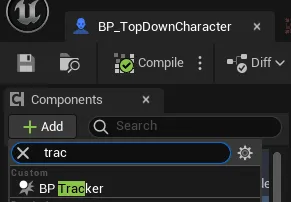
Section titled “The Tracker”BP_Tracker (a Blueprint subclass of UTrackerComponent) is a sphere component
you add to the viewing character. It does two jobs:
- Reveals the area around the player (its lit circle is the Fog Manager’s
Character Visibility Radius). - Tracks enemy actors and decides, on the server, whether each one is currently visible to this player.
Assigning what it tracks
Section titled “Assigning what it tracks”The Tracker exposes two functions, Assign Enemy and Assign Beacon:
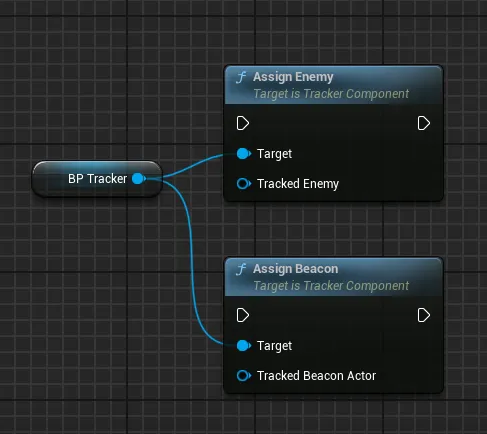
| Function | Call on | What it does |
|---|---|---|
Assign Enemy | Server | Registers an actor as fog-hidden. It is hidden immediately and only revealed when this player has line of sight to it. |
Assign Beacon | Server | Links a beacon actor to this tracker so the beacon’s vision contributes to this player. |
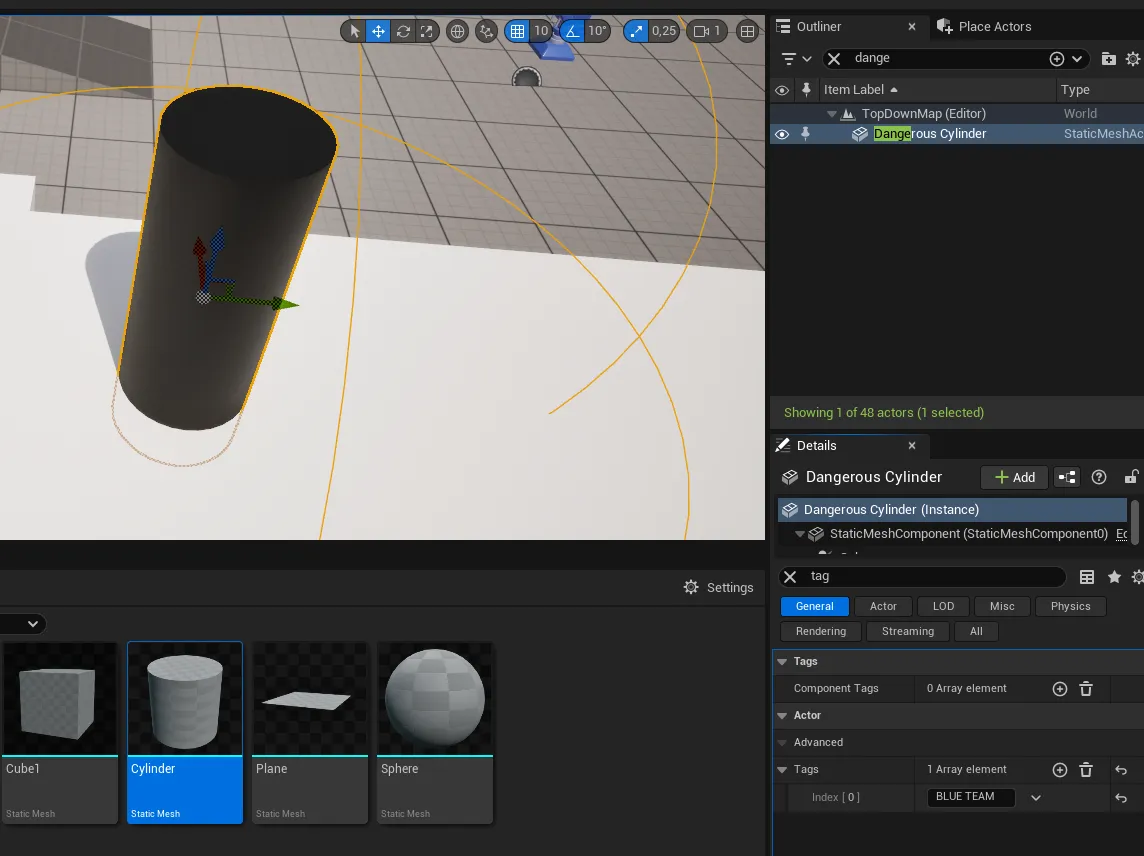
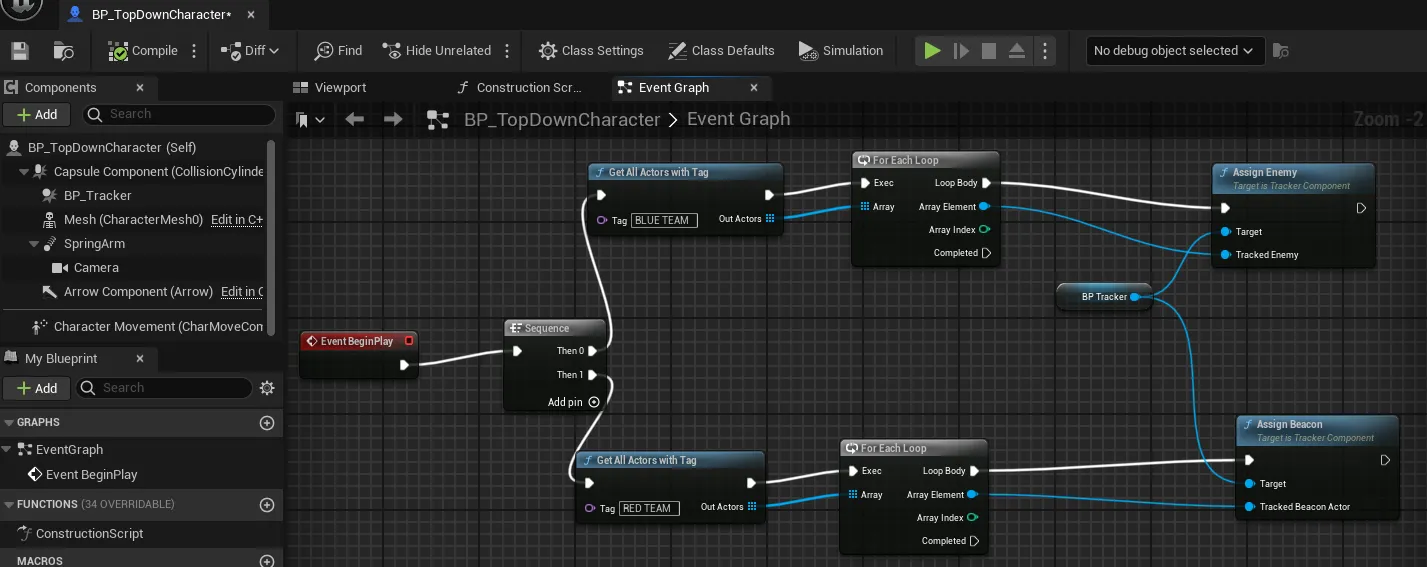
A common pattern: tag your enemies (for example with a team tag like
BLUE TEAM)…
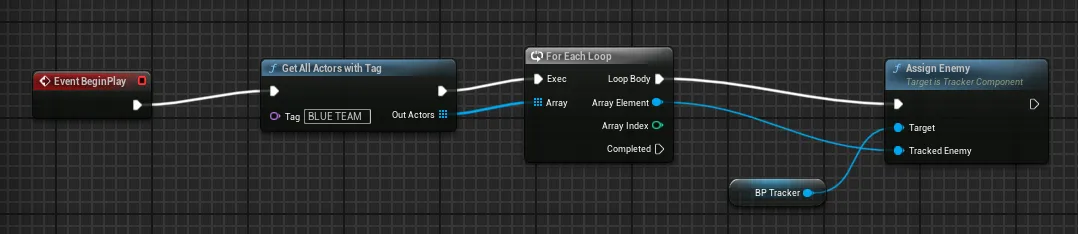
…then gather them with Get All Actors With Tag and pass the array to
Assign Enemy on the tracker. Do this on the server.
Enemy requirements
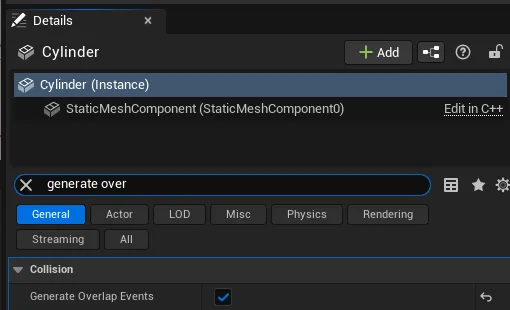
Section titled “Enemy requirements”An enemy can be any actor or character; how you decide what counts as an enemy (teams, tags, or your own logic) is up to your game. But every tracked enemy must have a collision component that generates overlap events (a static mesh, sphere, or box). The Tracker is a sphere that detects enemies by overlap, then confirms sight with a line trace. No overlap-capable collision means the enemy is never revealed.
Field of view
Section titled “Field of view”By default a tracker sees in all directions. Set Field Of View Angle below
360 to restrict vision to a cone in front of the owner:
| Value | Result |
|---|---|
360 | Omnidirectional (default). No restriction. |
< 360 | A cone of that full angle, centered on the owner’s forward direction. |
The cone affects both the visual fog reveal and the enemy line-of-sight check, so an enemy behind the player stays hidden even when close.
Beacons
Section titled “Beacons”BP_Beacon (a Blueprint subclass of UBeaconComponent) is a sphere component
you add to any actor that should grant the player extra vision: allies,
watchtowers, scouting wards, deployables. A beacon reveals its own area and
reports the enemies it can see back to the player’s tracker.
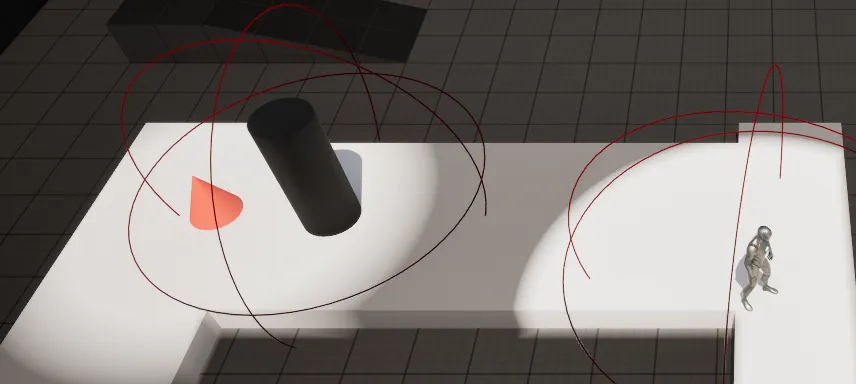
In this example a cone actor is turned into a beacon, so it reveals the dark enemy sphere even though that enemy is outside the player’s own line of sight:
| Property | Default | What it does |
|---|---|---|
Visibility Radius | 400 | How far the beacon sees, in world units. |
Field Of View Angle | 360 | Same cone behavior as the Tracker: 360 is omnidirectional, lower values restrict to a forward cone. |
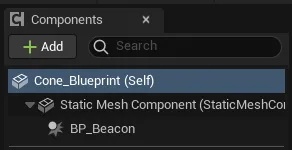
Add the BP_Beacon component to the actor’s Blueprint:
Link a beacon to a player by calling Assign Beacon on that player’s
tracker, passing the beacon’s owning actor. The pattern mirrors enemies: tag the
beacon actors (for example RED TEAM), gather them with Get All Actors With
Tag, and feed the array to Assign Beacon. Once linked, the beacon’s vision is
folded into the player’s, including any enemies it can see.
How visibility composes
Section titled “How visibility composes”An enemy can be seen by several sources at once: the player, plus one or more beacons. To avoid an enemy flickering when one source loses sight while another still has it, visibility is reference-counted on the server:
- Each source that can see an enemy adds
1to that enemy’s count. - When a source loses sight (it walks out of range, an occluder blocks it, or the
enemy leaves the cone), it subtracts
1. - The enemy is shown to the client while the count is above
0, and hidden only when it reaches0.
This is all server-authoritative; the client just receives the final show/hide decision. See Multiplayer & Networking for how that is replicated.