Vision Occluders
By default a lit circle is a clean radius: the player sees everything around them out to the visibility radius. Vision occluders break that up. Add one to a wall, rock, or building and it casts a vision-blocking shadow, so the area behind it stays in fog even when it is inside the radius.
This is what makes peeking around corners and ambushes work: an enemy hiding behind a wall is not revealed until the player can actually see past it.
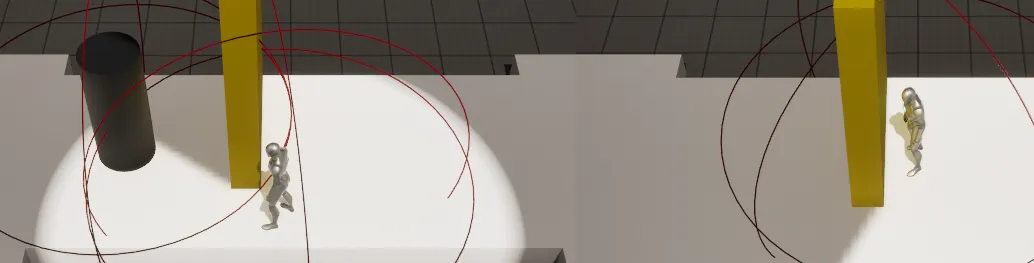
Add an occluder
Section titled “Add an occluder”-
Add a
BP_Vision_Occludercomponent (a Blueprint subclass ofUVisionOccluderComponent) to the actor that should block sight, for example a wall blueprint or a static-mesh actor.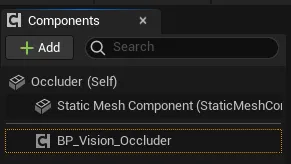
-
Make sure the occluder mesh has collision. The shadow is built from the geometry that blocks the line of sight; no collision means nothing to block.
-
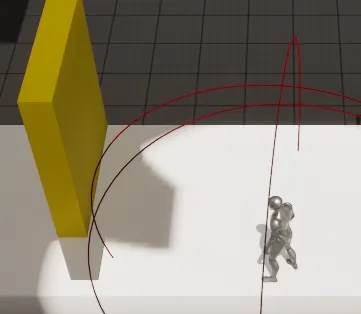
Place the occluder so it sits flat on the ground. Occluders cast their shadow from ground level, so a mesh floating above the floor leaves a gap that light leaks through, and one sunk into the floor can cause shadow artifacts.
Requirements
Section titled “Requirements”Occluders depend on a rendering feature that is off by default:
The VISION_OCCLUDER tag
Section titled “The VISION_OCCLUDER tag”Occluder actors carry the tag VISION_OCCLUDER. This is the contract the rest
of the system uses to tell occluders apart from ordinary geometry: the Fog
Manager’s Get All Non Occluding Actors returns everything without that tag, so
the shadow and baking pipeline knows which actors should not block vision. The
BP_Vision_Occluder setup applies the tag for you; leave it in place.